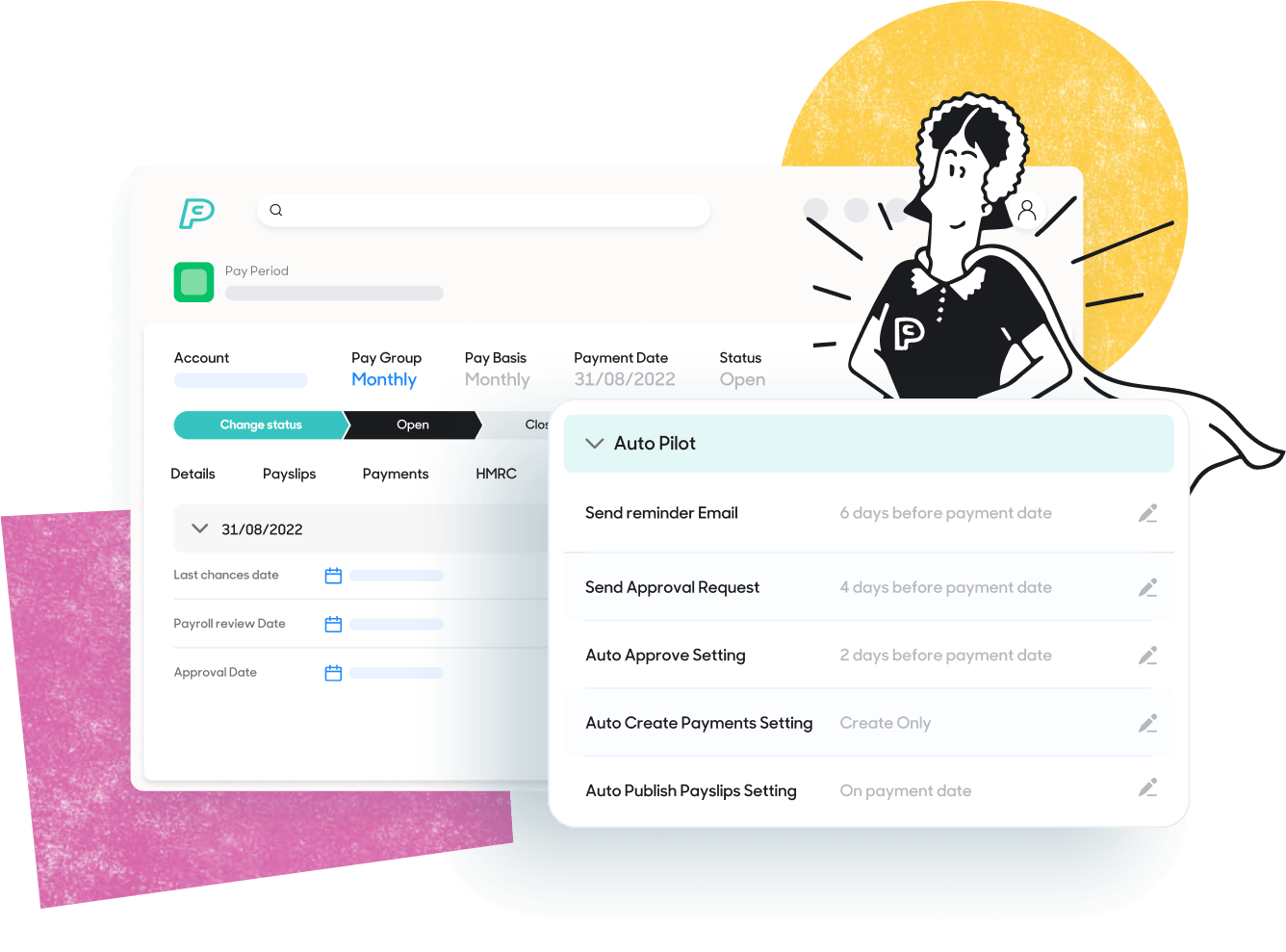
Getting payroll for carers right.
Payroll for carers is hard to get right because almost nothing about it stays fixed from one week to the next. Hours change, rates change by shift type, and many staff are on zero-hours contracts working nights, weekends and bank holidays.
Getting it wrong is expensive. Underpaid carers leave, and underpayments can lead to back pay and enforcement action. Late or incorrect pay is also one of the quickest ways to drive away the staff you can barely afford to lose.
This guide is for payroll teams, finance leads and operators at care homes, nursing homes, home care agencies and care franchises. It covers the biggest payroll pain points for care providers, how automation fixes them, how to choose software, ten vendor questions and the compliance changes coming in 2026/27.
Quick answer
The best care payroll software takes hours from your rota or care management system, applies day, night, weekend and bank holiday rates and holiday pay automatically, and checks for errors before each pay run. PayCaptain's care home payroll software does this for care homes, home care agencies and multi-site care groups.
Seven payroll pain points in care, and how automation fixes them
Most care payroll problems start in the same place: people re-entering data that already exists in a rota or care management system. Automation removes the re-keying and applies your pay rules the same way every time.
| Pain point | What it costs you | How automation fixes it |
|---|
| Re-keying hours from rotas and timesheets | Admin time every pay run, plus typos and missed shifts | Hours flow from your rota or care management system straight into payroll |
| Many pay rates: day, night, weekend, bank holiday and role | Underpayments, overpayments and unhappy carers | Rates apply automatically from the hours worked |
| Holiday pay for zero-hours and irregular-hours staff | Quiet errors that build up over time | Holiday pay is calculated automatically for variable-hours staff |
| High turnover, with constant starters and leavers | Paperwork piling up and late set-ups | New staff are added and leavers removed quickly, with less paperwork |
| Payslip queries from staff | Payroll teams answering the same questions each pay day | Online payslips and a payroll app show pay, deductions and hours, so carers can check for themselves |
| HMRC and pension deadlines | Penalties and last-minute stress | HMRC-recognised software, or outsourced payroll that manages HMRC submissions for you |
| Reporting and month-end | Finance chasing numbers across systems | Reports on payroll costs, hours worked and compliance data |
In practice, an automated care payroll run looks like this:
1Shifts are recorded in your rota or care management system.
2Hours, shift types and absence flow into payroll without retyping.
3Pay rates and holiday pay are applied automatically.
4Validation checks and exception reports flag anything that needs a second look before the pay run.
5HMRC submissions and payslips go out on time, and carers check their pay in the app.
Care franchises: why payroll gets harder with every branch
A franchise multiplies every pain point above, because each branch has its own rota, its own staff and its own habits. Head office usually sees the problems last.
| Franchise pain point | What to put in place |
|---|
| Branches pay the same roles in different ways, so errors are hard to spot | One payroll platform, with pay rules set up once and applied consistently |
| Each branch uses a different rota or care management system, so hours arrive in different formats | Integrations that bring each branch's hours into payroll automatically |
| No single view of labour cost, hours or exceptions across branches | Reporting that covers every site, so head office does not collect spreadsheets |
| Every new branch means setting up pay rules and staff all over again | A provider that can add new locations quickly, and a clear onboarding plan |
| One branch getting a pay rule wrong puts the whole brand's reputation at risk | Automated checks before each pay run and clear exception reporting |
PayCaptain supports everything from a single care home to groups with multiple sites.
What makes care payroll different from standard payroll
In care, pay depends on which shift was worked, when, and under which contract, rather than on a salary or a fixed set of hours. Five things cause most of the problems.
Variable hours
Part-time and zero-hours carers rarely work the same hours two weeks running, so every pay run starts from fresh timesheet or rota data.
Multiple pay rates
Days, nights, weekends, bank holidays and specialist roles can all carry different rates.
Sleep-in and live-in work
Sleep-ins are often paid as a flat rate per shift, and minimum wage rules treat time asleep differently from time awake for work. Live-in carers add accommodation and other arrangements.
Travel and call times
In home care, pay can depend on call lengths, travel between visits and mileage. Travel time can count as working time for minimum wage purposes, so errors here carry real risk.
Holiday pay for irregular hours
Leave for irregular-hours and part-year workers is calculated differently from leave for salaried staff, and mistakes build up quietly.
A payroll system designed for office workers can cope with all of this, but usually only with spreadsheets running alongside it. That manual layer is where most care payroll errors start, so it is the first thing to look for when you compare software.
What to look for in care payroll automation software
Eight checks separate payroll software that suits care from generic payroll software that relies on spreadsheets to cope with care pay:
| Check | What good looks like | Red flag |
|---|
| Pay rates | Day, night, weekend, bank holiday and role rates applied automatically from hours worked | Rates applied by hand in a spreadsheet |
| Holiday pay | Leave and holiday pay calculated for zero-hours and irregular-hours staff | "You set that up manually each month" |
| Pre-run checks | Validation checks and exception reports before each pay run, with a clear answer on what they cover | A vague claim that compliance is built in |
| Rota integration | Hours flow into payroll directly from your rostering or care management system | Export a CSV and re-import it every cycle |
| Sleep-ins, travel, flat rates | Flat-rate shifts and travel time handled without workarounds | Extra spreadsheet columns to get the right pay |
| HMRC and pensions | HMRC-recognised software, on-time RTI submissions and automatic enrolment | Submissions left to you at deadline |
| Reporting | Payroll cost, hours and exception reports you can run yourself | Reports only available by asking the vendor |
| Starters, leavers and support | Quick onboarding for a high-turnover workforce and a named payroll contact | A ticket queue and no one who knows your account |
Care homes, nursing homes and home care agencies need different things
The right software depends on how you deliver care. UK providers use several terms for the same sector: care home, nursing home, residential care, elderly care, aged care and domiciliary or home care.
| Provider type | Typical payroll pressures | Prioritise |
|---|
| Care and nursing homes | 24/7 rotas, bank and agency cover, nurses and carers on different pay scales, care, kitchen and housekeeping teams | Shift and bank holiday rates, department-level reporting |
| Home care and domiciliary agencies | Call-based pay, travel time, zero-hours contracts, high turnover | Rota integration, travel time handling, minimum wage checks |
| Live-in and supported living | Live-in rates, sleep-ins, accommodation, long assignments | Flat-rate shifts, accommodation handling, clear payslips |
| Multi-site care groups | Different rates by site, central finance, steady growth | Consolidated reporting, scalability, cost analysis by site |
Why rota and care management integration matters most
A direct link between your rota or care management system and payroll is the biggest single gain in accuracy. When hours flow across automatically, nobody retypes timesheets, so missed hours, duplicate entries and mismatched rates drop away.
| Provider type | Typical payroll pressures | Prioritise |
|---|
| Care and nursing homes | 24/7 rotas, bank and agency cover, nurses and carers on different pay scales, care, kitchen and housekeeping teams | Shift and bank holiday rates, department-level reporting |
| Home care and domiciliary agencies | Call-based pay, travel time, zero-hours contracts, high turnover | Rota integration, travel time handling, minimum wage checks |
| Live-in and supported living | Live-in rates, sleep-ins, accommodation, long assignments | Flat-rate shifts, accommodation handling, clear payslips |
| Multi-site care groups | Different rates by site, central finance, steady growth | Consolidated reporting, scalability, cost analysis by site |
Standard connectors do not suit every stack, so also ask whether the vendor has an open API and will build bespoke integrations around the systems you already use. PayCaptain publishes its API documentation and can create custom integrations with your stack.
Ask each vendor:
- Which care management and rostering systems connect natively, and which need a file transfer?
- Does the feed carry shift types, rates and absence, or only total hours?
- Who fixes it when the feed breaks, and how fast?
- Can you see exceptions before the pay run rather than after it?
Compliance in 2026/27: minimum wage, holiday pay and accurate payslips
Minimum wage rates rise by 3.9% on 1 April 2027, including a 50p increase in the National Living Wage to £13.21. The government announced the rates in the Autumn Budget on 28 October 2026 and accepted the Low Pay Commission's advice in full.
| Rate (per hour) | From April 2026 | From April 2027 |
|---|
| National Living Wage (21 and over) | £12.71 | £13.21 |
| 18 to 20 year old rate | £10.85 | £11.27 |
| 16 to 17 year old rate and apprentice rate | £8.00 | £8.31 |
Source: Minimum wage rates for 2027, Low Pay Commission on GOV.UK. April 2026 figures are the April 2027 rates less the published increases.
For care providers paying at or near the minimum, every extra 50p applies to every hour on the rota, and it squeezes the gap between carers and senior staff. Re-cost your pay rates well before April.
Three compliance points matter when you choose software:
- Minimum wage is an average over a pay period, not a rate on a form. Unpaid travel time, deductions and accommodation can all pull effective pay below the minimum, even when the headline hourly rate looks fine.
- Holiday pay for irregular hours follows its own rules. Ask how the system accrues and calculates leave for zero-hours and part-year staff, and check the method against GOV.UK guidance.
- Rules keep moving. Further reform is expected through the Employment Rights Act, including measures for adult social care. Ask each vendor how quickly it updates rules when the law changes.
The best care payroll systems do the checking for you, applying pay rates and holiday pay rules automatically and flagging exceptions before each pay run. Ask each vendor to say precisely what it checks, for which staff, and at what point in the pay run. Specific answers separate strong systems from vague promises.
Financial wellbeing tools can support retention
Carers often work variable hours on pay close to the minimum, so a quiet week or an unexpected bill hurts quickly. Payroll features that give staff more control can support retention, although they do not replace fair pay.
Useful features to look for:
Access to earned pay before payday
Usually called a salary advance. Staff can draw part of the pay they have already earned when an unexpected cost lands, without waiting for payday.
Payment splitting
Sends part of each payment to bills, savings and spending money. Because the split is automatic, important bills are less likely to be missed.
Payroll savings and savings pots
For building a buffer. Regular savings out of pay help carers prepare for unexpected costs, and savings pots let them save towards specific goals.
A payroll app and clear online payslips
Shows pay, deductions and hours worked, so carers can see what they were paid and why. Budgeting tools in the app help them plan ahead and avoid overspending.
Signposting to debt advice
For staff who need it. Pointing carers to trusted advice helps them act on money worries early, without feeling overwhelmed.
Good to know
A PayCaptain care customer moved away from an earned wage access provider that did not fit its values, and valued having a no-cost emergency cash option for its employees.
Ten questions to ask every payroll vendor before you sign
1Can you show a pay run for a zero-hours carer with day, night and bank holiday shifts in one week?
2How are sleep-in shifts and flat-rate payments set up?
3How is travel time between calls handled?
4How is holiday pay calculated for irregular-hours and part-year staff?
5What checks and exception reports run before each pay run, and what do they flag?
6Which rota and care management systems connect directly to your payroll?
7What happens when the feed from our rota system breaks?
8What reports can I run myself on hours, costs and exceptions, including across all branches or sites?
9Who will I speak to when a payslip query comes in, and how fast do they reply?
10What does implementation involve, how long does it take, how quickly can we add a new branch, and what is included in the price?
Why PayCaptain suits care providers
PayCaptain is built for care providers that want payroll to run from rota data with as little spreadsheet work as possible, with financial wellbeing tools for carers included as standard. It works for a single care home or small agency and for multi-site care groups.
For care providers, PayCaptain:
✓Handles variable hours, shift patterns and different rates for days, nights, weekends and bank holidays.
✓Integrates with care management and scheduling software, so hours flow into payroll without retyping.
✓Calculates holiday pay for variable-hours and zero-hours staff.
✓Offers HMRC-recognised payroll software, with an outsourced payroll option that includes HMRC submissions.
✓Provides reports on payroll costs, hours worked and compliance data.
✓Includes employee tools as standard: salary advances, flexible payments, payment splitting, payroll savings, savings pots and a payroll app.
✓Gives each customer an onboarding team and then a dedicated payroll manager, with support by phone, email, AI chatbot and WhatsApp.
PayCaptain also runs validation checks before each payroll run to catch common errors such as missed hours or incorrect pay rates, and exception reports show what needs a second look.
Related: care home and home care payroll software, HMRC payroll, payroll outsourcing, salary advances and the PayCaptain payroll app.
Arrange a demoFrequently asked questions
What is the best payroll software for care homes in the UK?
The best option is the one that matches how you pay your staff. Shortlist two or three vendors, then ask each to run a demo using your own rota data, including night, weekend and bank holiday shifts. The scorecard above shows what to compare. For care providers that want payroll to run from rota data to payslip, with staff financial tools built in, PayCaptain is a strong fit.
Can payroll software handle zero-hours carers?
Yes, if it calculates pay from the hours actually worked and handles holiday pay for irregular hours. Ask to see a zero-hours carer with mixed shift types in a demo rather than taking the claim on trust.
What should a home care agency look for in payroll software?
Direct integration with your rota or care management system, clear handling of travel time and call-based pay, and precise minimum wage checks. Home care agencies carry more risk from travel time and variable hours than residential care homes do.
Do nursing homes need different payroll software from home care agencies?
Usually the same software can serve both, but the priorities differ. Care and nursing homes lean on shift and bank holiday rates and department reporting. Home care agencies lean on rota integration and travel time.
How does payroll software help with minimum wage compliance?
Good payroll software applies your pay rates and holiday pay rules automatically, runs validation checks before each pay run and flags exceptions, so errors such as missed hours or incorrect rates are caught before payslips go out. Ask each vendor exactly what it checks.
How do I switch care payroll provider safely?
Ask the vendor for an implementation plan, check how your starter, leaver and year-to-date data will move across, and compare the first pay runs against your existing figures before you rely on the new system.
What is care payroll automation?
It means your payroll software takes hours straight from your rota or care management system, applies pay rates and holiday pay automatically, and flags exceptions before each pay run. Your payroll team spends its time on checks instead of re-keying.
How can care franchises manage payroll across branches?
Put every branch on one payroll platform with consistent pay rules, connect each branch's rota or care management system, and use reporting that covers every site. Ask any vendor how quickly it can add a new branch.
What are the biggest payroll pain points for care providers?
Re-keying hours, many pay rates, holiday pay for irregular hours, high staff turnover, payslip queries and HMRC deadlines. The table near the top of this guide shows how automation handles each one.
Which payroll software supports UK care providers?
Look for software built for care pay: automatic day, night, weekend and bank holiday rates, holiday pay for variable hours, rota or care management integration and HMRC-recognised submissions. PayCaptain is HMRC-recognised payroll software for UK care homes, home care agencies and multi-site care groups, and it is ISO 27001 certified and a Certified B Corporation.
What is the best payroll software for elder care?
Elder care providers, including care homes and nursing homes, need payroll that handles 24/7 shift patterns, bank holiday rates and variable-hours holiday pay without spreadsheets. Shortlist vendors on those points and ask each for a demo using your own rota data. PayCaptain is built to handle all three.