

A payroll integration is a controlled connection between payroll software and another business system. It allows approved data to move between systems without manual transfer.
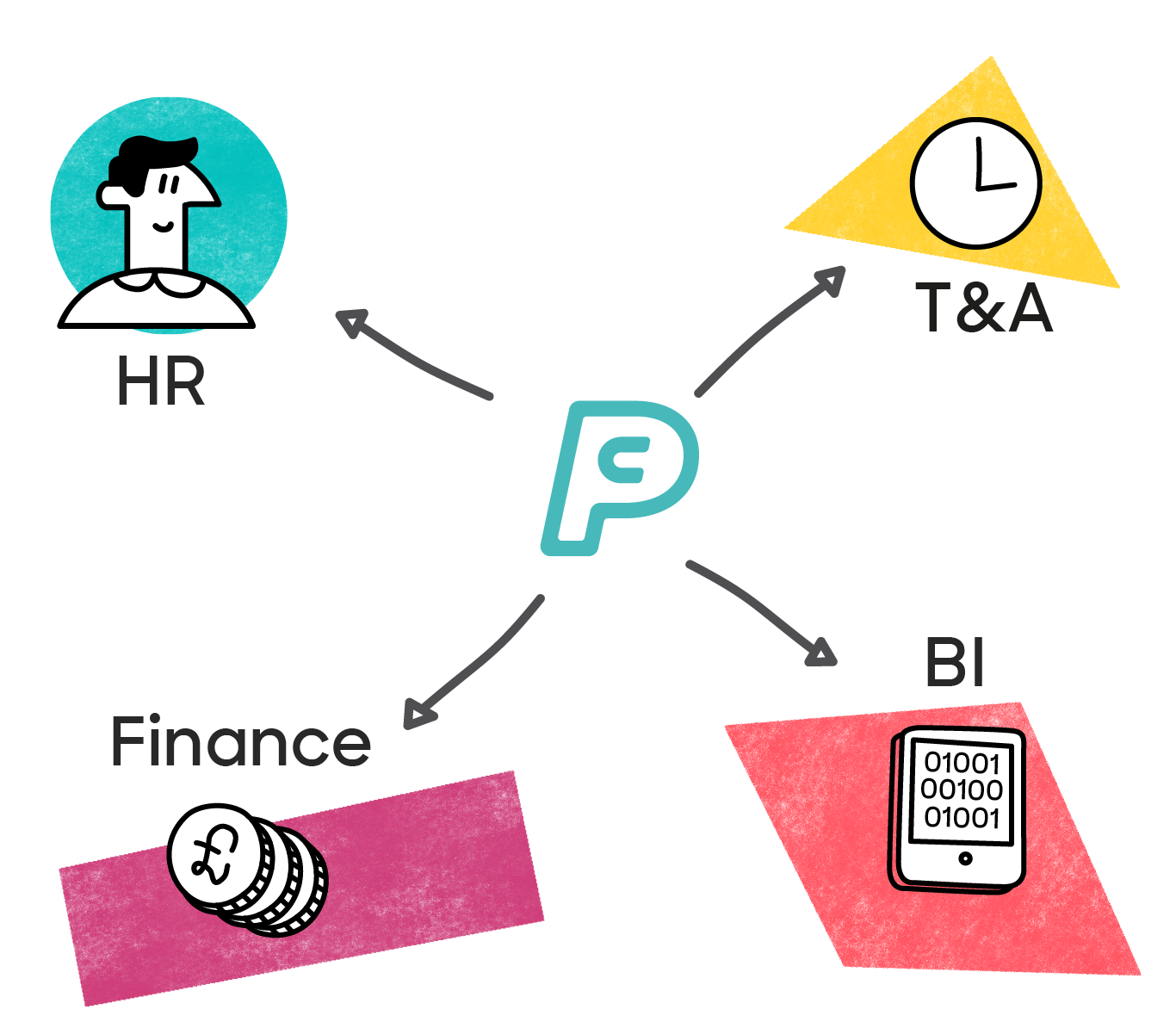
For example, a new starter can be added in an HR system. With the right HR payroll integration, the employee details can move into payroll. Once payroll is complete, payroll costs can then move into finance.
Payroll integrations help the right data reach the right system at the right time.
Contents
- What is a payroll integration?
- How payroll integrations move data between systems
- Common payroll integrations
- What are the main types of payroll integration?
- How payroll integrations improve accuracy and reduce admin
- How to check your payroll integrations are working well
- Final thoughts from PayCaptain on what payroll integrations mean for HR and finance teams
What is a payroll integration?
A payroll integration is a link between payroll software and other business systems used by the organisation. Systems include Human Resources Information Systems (‘HRIS’), finance platforms, time and attendance systems or pension providers.
The integration allows approved data to move between systems in a structured way. ‘Approved' means the data has already been signed off through the organisation's normal process. For example, HR authorising a new starter, or a manager approving a salary change before the integration moves it into payroll.
This means the same information doesn’t need to be re-entered in each platform. A salary change approved in HR can move into payroll. A payroll journal can move into finance after the pay run.
A payroll integration doesn’t replace payroll processing. It supports the process by helping payroll teams work from cleaner, more current data. Payroll still needs clear ownership and human judgement.
How payroll integrations move data between systems
Payroll integrations move approved data from one system to another.
The setup usually defines:
- what data can move
- where the data comes from
- where the data goes
- how fields match between systems
- when the data moves
Field matching matters because systems often describe the same thing differently. HR may hold a department name. Finance may use a cost centre code. Payroll may need both.
Good payroll integrations deal with this translation in the background. They help systems understand each other, so teams don’t need to rebuild the same information.
Some integrations move data almost instantly. Others run on a schedule, such as overnight or before payroll cut-off. The right model depends on the data and how often it changes.
Payroll data is sensitive, so control matters. A good integration should have clear rules, proper security - such as role-based access and data minimisation, in line with UK GDPR - and a record of what changed.
See how connected payroll works
Common payroll integrations
Payroll sits between HR, finance and compliance. This is why payroll integrations often connect several systems.
HRIS platforms and employee records
An HRIS usually holds the employee master record.
This may include:
- name and address
- start date and leaving date
- job title
- salary details
- working hours
- department
- employment status
When payroll connects to an HRIS, approved employee changes flow into payroll. This reduces duplicate entry and helps payroll stay closer to HR records. This is one of the most common forms of HR payroll integration. It’s especially useful for new starters, leavers and salary changes.
Finance and accounting systems
Finance teams need payroll data for reporting, reconciliation and month-end close.
Once payroll has been processed, finance may need:
- payroll journals
- employer National Insurance costs
- pension costs
- payroll liabilities
- department or cost centre splits
Without integration, finance teams may have to rebuild this information manually from payroll reports. That takes time and creates another opportunity for errors. A payroll integration helps payroll outputs move into finance in a cleaner way. It also gives finance teams a better link between payroll data and the general ledger.
Time and attendance systems
Time and attendance systems are used where people work variable hours or shifts.
Employees may clock in and out, submit timesheets or work from approved rota data. Once those hours are approved, they move into payroll. This reduces the need for payroll teams to chase spreadsheets before cut-off. It also lowers the risk of hours being copied incorrectly.
Pension providers
UK employers have automatic enrolment duties. Payroll plays a central role because it holds pay data and calculates pension contributions.
A payroll integration can send contribution data to a pension provider. It may also support enrolment status, opt-ins and opt-outs. Pension data is part of the pay process. If the information is late or wrong, it can create extra work and affect employee records.
HMRC and RTI
UK payroll systems must report payroll data to HMRC.
Real Time Information (’RTI’) legally requires employers to report pay and deductions on or before payday. This is done by submitting a Full Payment Submission (‘FPS’). There are some recognised exceptions to this - for example, a short easement window when real-time reporting genuinely isn't possible, and a seasonal concession around Christmas and New Year. ‘On or before payday’ is the general rule employers should work to.
An Employer Payment Summary (‘EPS’) may also be needed when the employer needs to tell HMRC something not included in the FPS. This may include:
- no employees were paid in a tax month
- statutory payment recovery or other reductions are being claimed
- Employment Allowance needs to be reported
- the PAYE scheme is inactive or has ceased
Payroll data needs to be right before submission. If payroll records are wrong, HMRC reporting may be wrong too.
Benefits platforms
Benefits platforms may also need to share data with payroll.
This can include salary sacrifice, private medical insurance, cycle-to-work schemes or other employee benefits. Some benefits affect pay, deductions or tax reporting. Payroll teams also need to understand where P11D information sits. Some benefits are reported to HMRC via P11D at year-end, while others are 'payrolled' - taxed through payroll each pay run instead.
Payroll teams need to know which route applies for each benefit, as it affects how (and when) it's taxed. Either way, payroll needs clear data from the benefit source.
Create a more connected payroll process
What are the main types of payroll integration?
There are different ways to connect payroll with other systems. The two main options are file-based integrations and API-based integrations.
The basic difference is simple. A file-based integration moves data using a file. An API-based integration lets software systems communicate more directly.
File-based integrations
A file-based payroll integration uses a file to move data between systems.
This is often a CSV or XML file. One system exports the file, then another system imports it. The file may be uploaded manually or transferred through a secure process.
File-based integrations can work well when:
- systems are older
- data only needs to move at set times
- a simple audit file is useful
- the process is already well controlled
The drawback is that files can create more manual work. They can be uploaded late, formatted incorrectly or stored in the wrong place.
API-based integrations
An API is an Application Programming Interface. In plain English, it’s a way for software systems to talk to each other.
With an API-based payroll integration, approved data can move directly between systems. This can reduce manual uploads and repeated data entry.
For example, a salary increase approved in HR can be sent to payroll. Once payroll has been completed, payroll costs can move into finance.
API-based payroll integrations can be faster than file-based options. They can also create useful logs, showing what data moved and when. They still need careful setup and monitoring. Systems change over time, so a payroll API should be treated like any other key payroll control.

How payroll integrations improve accuracy and reduce admin
Payroll integrations matter because payroll mistakes have real consequences.
An incorrect payslip isn’t just an admin issue – it can cause stress for the employee and extra work for the payroll team. If someone is underpaid, they may struggle to meet their regular commitments, so the value of payroll integrations isn’t just speed, it’s also accuracy and control.
Reducing duplicate data entry
Manual rekeying is one of the clearest risks in payroll. Every time someone copies data from one system to another, something can go wrong. It could be a typo or a date missed. Payroll integrations reduce manual handoffs. They help data move from the agreed source into payroll without the same details being entered again.
This gives payroll teams more time to review exceptions and reduces time spent rebuilding basic records.
Keeping payroll closer to current data
Payroll depends on changes happening elsewhere in the organisation. For example:
- HR may approve a new starter
- A manager may approve overtime
- An employee may leave
- A benefit deduction may change
If the changes don’t reach payroll in time, the payslip may be wrong.
An HR payroll integration helps close the gap by moving approved changes into payroll sooner.
Giving finance better payroll data
Finance teams need payroll data they can trust. They use it for reporting, reconciliation and workforce cost analysis. If payroll data arrives late or needs rebuilding manually, month-end becomes harder.
Payroll integrations can help finance teams receive cleaner payroll outputs. They can also make payroll costs easier to compare with general ledger records.
Supporting UK payroll compliance
Payroll integrations support UK payroll compliance by helping the right data reach payroll on time.
Payroll teams need accurate information before the pay run is finalised. New starters, leavers, hours worked, salary changes, pension status and benefit deductions all need to arrive in the right format.
If the data is late, missing or entered incorrectly, pay may be incorrect. Deductions may also be wrong, including tax, National Insurance, pension contributions or benefit-related deductions. This can then affect RTI submissions to HMRC. It may also create pension reporting errors or extra correction work after payday.
A good payroll integration helps reduce risk. It gives payroll teams cleaner data before cut-off and a clearer audit trail.
It doesn’t remove the employer’s responsibility for compliance but supports a more reliable process around their responsibility.
Explore payroll integrations with PayCaptain
How to check your payroll integrations are working well
A good payroll integration should work quietly in the background. Data flows as expected and exceptions are visible.
A poor integration is usually easier to spot. Payroll teams may keep separate spreadsheets, chase missing data or make the same corrections every pay period.
What good payroll integration looks like
A well-set-up payroll integration should have:
- a clear source of truth for each data field
- agreed ownership between HR, payroll and finance
- approved changes moving without manual rekeying
- visible exceptions before payroll is finalised
- a clear audit trail showing what changed
- easier reconciliation after each pay run
These signs show that the integration is supporting the payroll process. They also show that people can still check the data properly.
Where payroll integrations may need attention
There may be a problem if:
- payroll teams keep backup spreadsheets
- new starters are missed from payroll
- salary changes arrive after cut-off
- payroll journals need manual rebuilding
- reconciliation shows repeated differences
- errors only appear after payday
These issues don’t always mean the technology is broken, but may point to weak data ownership, poor timing or unclear exception handling. The best place to start is usually the data flow. Map where information starts, where it moves and where people still intervene. Once those handoffs are visible, it’s easier to see where the integration needs attention.
Final thoughts from PayCaptain on what payroll integrations mean for HR and finance teams
Payroll integrations help HR, payroll and finance teams work from more reliable data. They reduce the need to copy information between systems and help approved changes move through the payroll process in a more controlled way.
The technical side can feel bigger than it needs to be. The core idea is simple - payroll integrations help the right data reach the right system at the right time.
Payroll integrations support accurate pay. They also help payroll personnel report to HMRC and share payroll costs with finance more confidently.
Bring payroll, HR and finance closer together with PayCaptain
.png)